An independent developer's design manifesto · 2026
We're aiming to build the best notes app for iPhone.
Not by adding more complexity. By making a free note-taking app that helps you capture everyday thoughts, find them again, and keep them yours.
An ambition, not a claim to be number one. By John Henry Roche, creator of Onuri.
What would make the best note-taking app in 2026? We think it starts with a different question: what makes a note worth keeping?
Some notes are a name you do not want to forget. Some are plans in progress. Some are reflections that only reveal their value months later. A notes app should handle the ordinary and the meaningful without asking you to become an information architect.
We're building Onuri, a free notes app for iPhone, around this idea. There is no universal “best” app, and we are not claiming that Onuri has won that title. This is the set of design choices we're pursuing, how the features available today support them, and where optional Premium fits.
The design decisions
Twelve things we believe a great notes app should do.
Features matter because of the moments they improve. Here is how we're trying to make those moments easier.
Free · Unlimited free notes
A thought should never have to wait
An idea arrives while you are walking, a detail comes up in conversation, or you remember something before bed. A useful note-taking app needs to make room for all of it. Onuri lets you create unlimited notes and journal entries on its free tier. You do not have to decide whether an observation deserves its own document.
Free · Automatic draft saving
Never lose the sentence you were writing
Half-finished thoughts are still valuable. Automatic draft saving helps keep writing from becoming an exercise in remembering to press Save. Write a little, return later and let the app take care of the routine work.
Free · People, places, dates, times and topics
Write first. Let structure emerge later.
A note about meeting Sarah in Kyoto is about more than one thing. It is about a person, a place and perhaps a date or topic. Onuri recognises those kinds of context in what you write so that you can revisit them without first creating folders or manually tagging every entry. Automatic organisation means less filing, not that every phrase will be interpreted perfectly.
Free · Full-text search, filters and connected terms
Memory rarely works like a filing cabinet
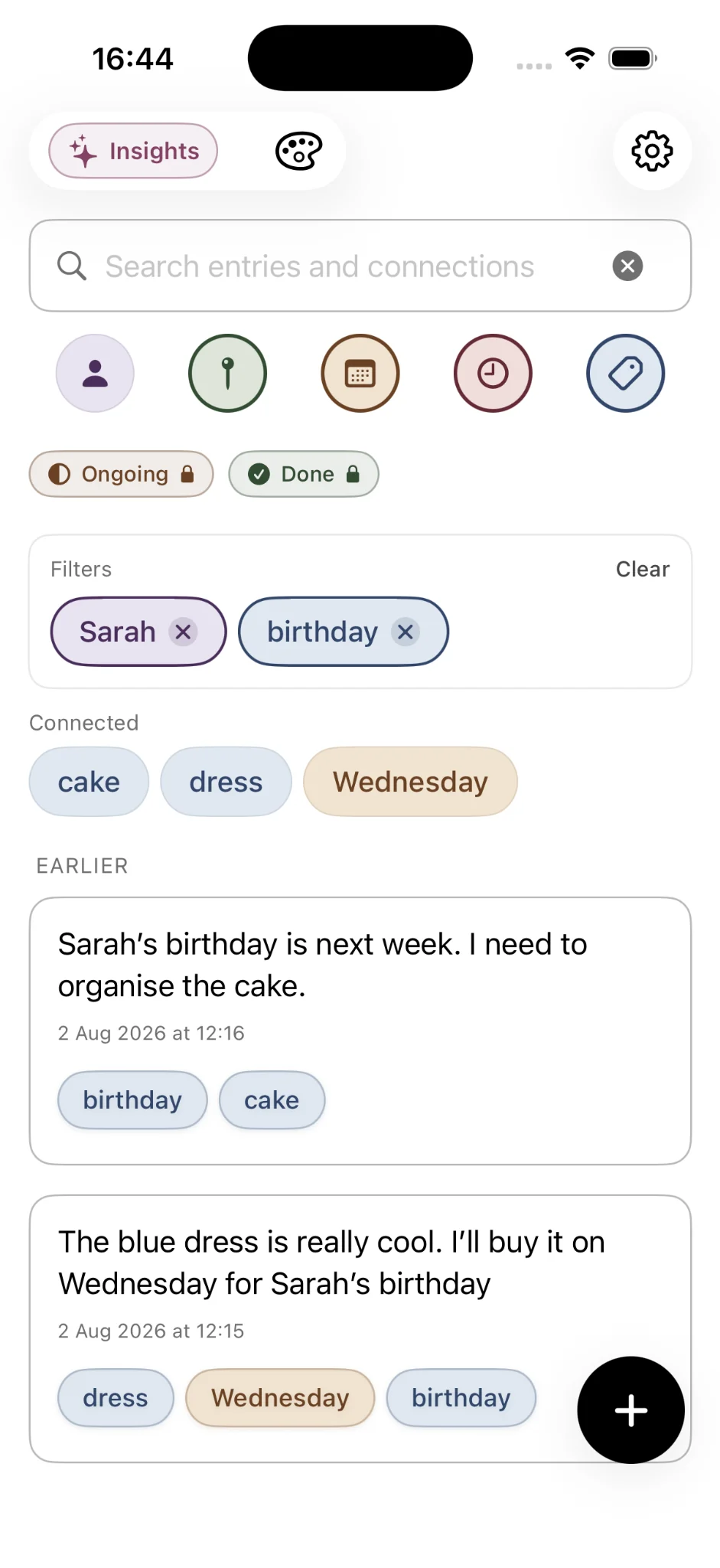
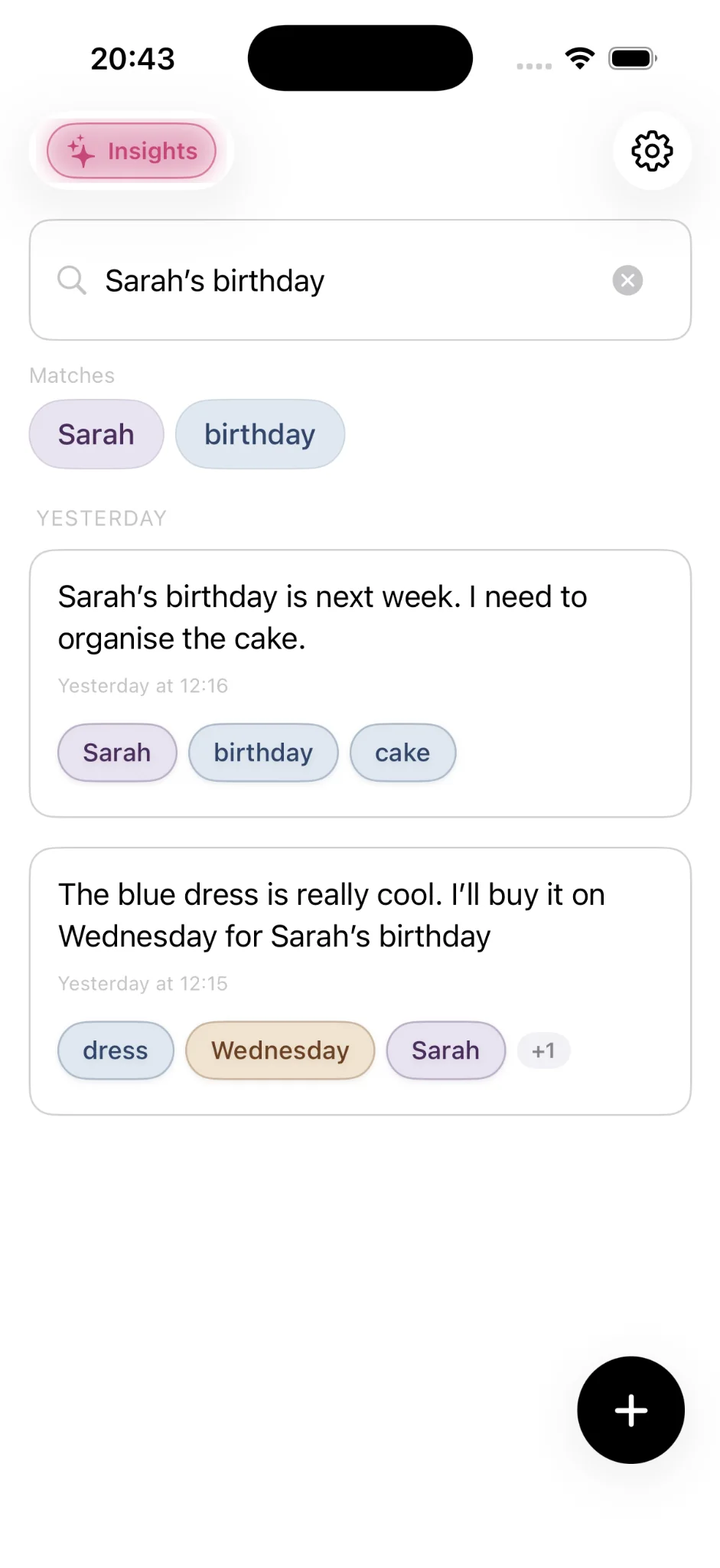
Sometimes you recall an exact phrase. Other times you remember only the person involved or the city where something happened. Search covers the first case; filters for people, places, dates, times and topics help with the second. Follow connected terms to move through related context instead of relying on one perfect search query.
Free · Related entries
A useful note can lead to another
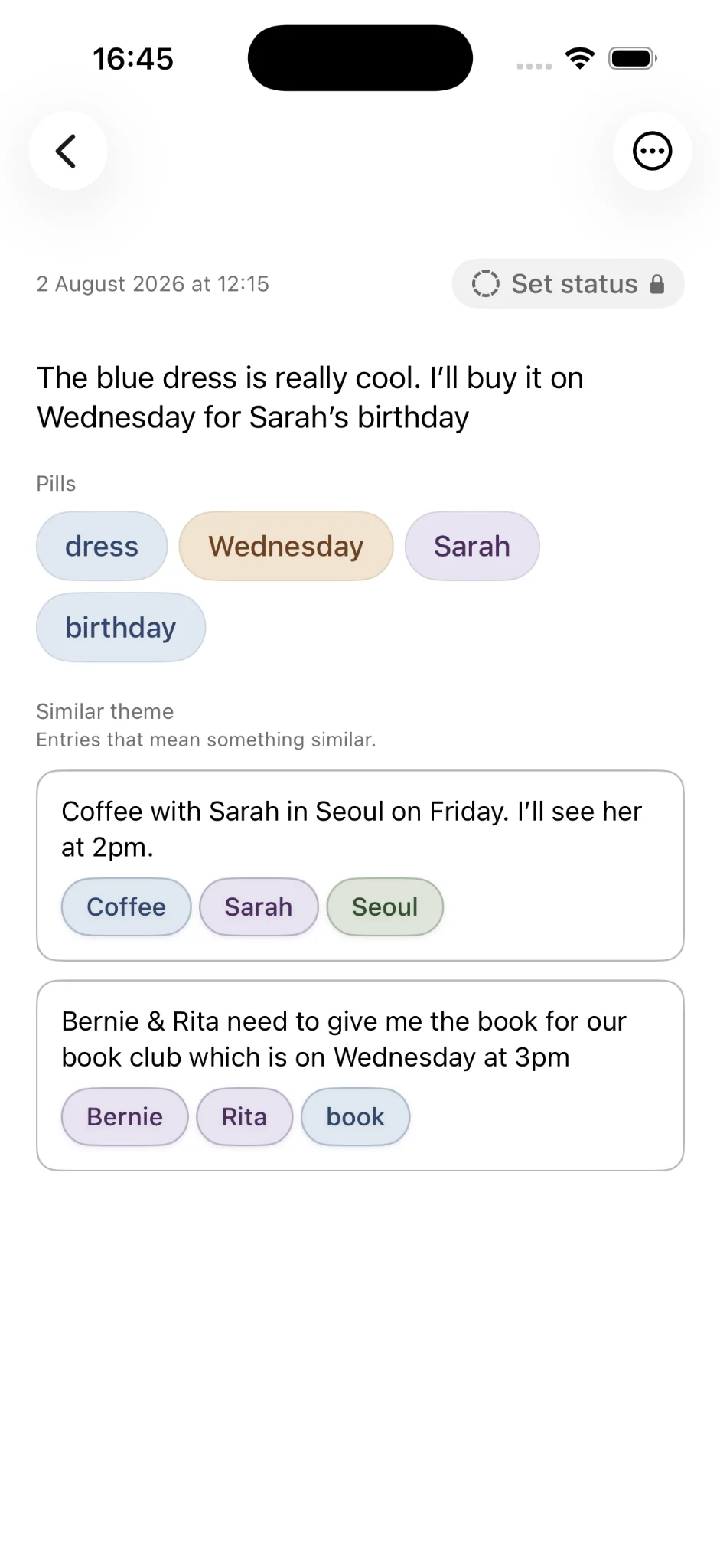
Connections are not only about identical words. Onuri can surface entries with similar meaning, letting you rediscover ideas that belong together even when you described them differently. It is another route back to your writing, not a guarantee that every relationship will be detected.
Free · On-device processing and private iCloud sync
Personal writing deserves a quiet place
Notes may contain names, hopes, difficult decisions and ordinary details you would never publish. Onuri is built around on-device processing, personal iCloud sync and an app that does not use advertising, third-party analytics SDKs or tracking. The App Store privacy label states Data Not Collected. Website analytics are a separate, consent-based matter.
Free · TXT and CSV export
Your words should not be trapped
The most reassuring export feature is the one you may never need. Onuri supports TXT and CSV export, giving you practical ways to take your writing elsewhere or keep your own copy. An app should earn your continued use, not depend on lock-in.
Premium · Expanded Insights
Small notes can reveal larger patterns
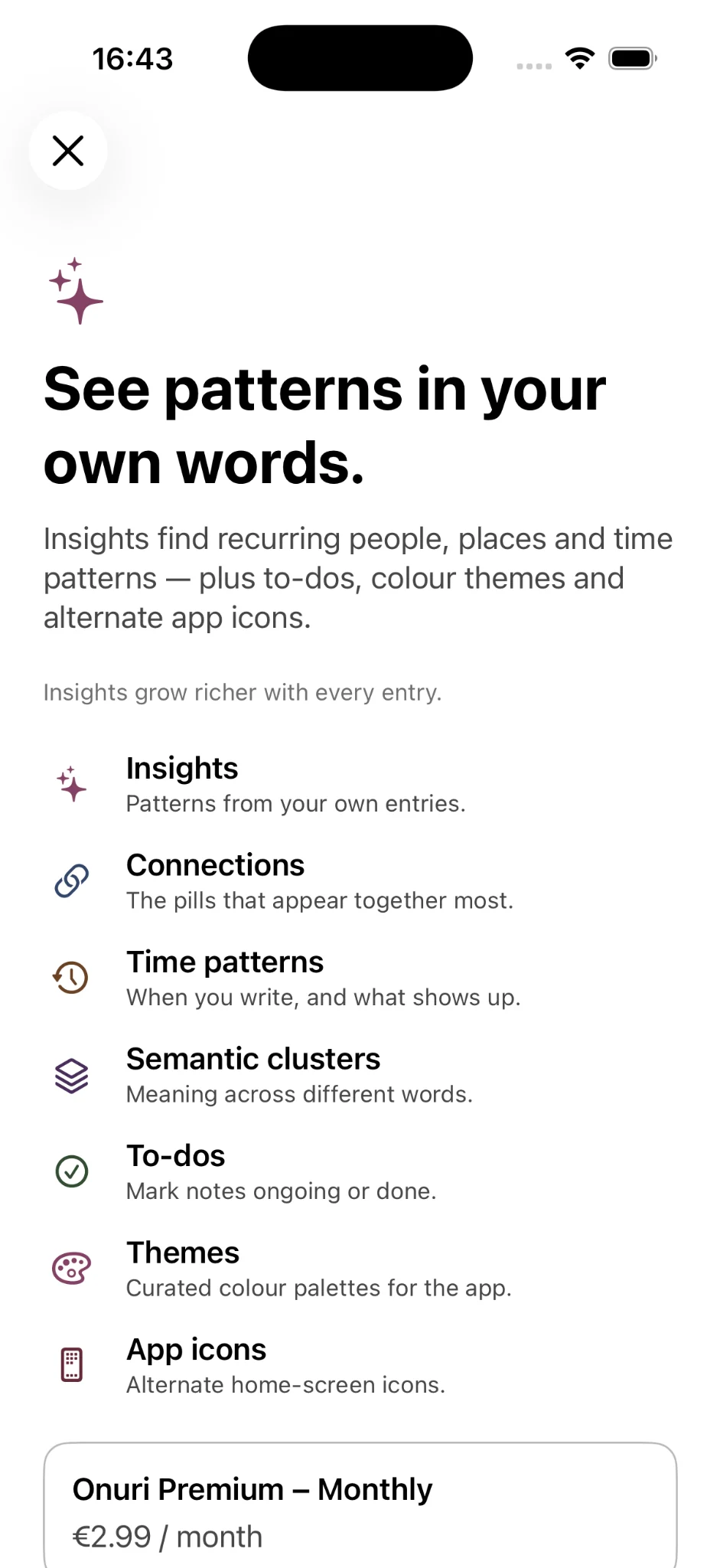
When writing adds up, questions change. What are you coming back to? Which people and places appear often? Premium Insights explores writing momentum, streaks, recurring themes, people and place patterns, semantic clusters and strong connections. These are prompts for reflection, not judgements about how productive you have been.
Premium · Ongoing and Done statuses
Some notes are about things still in motion
A note about an unfinished plan should not need to become a complicated task board. Optional Premium Ongoing and Done statuses, with status-based filtering, give you a lightweight way to find what is in progress and what has been completed.
Free + Premium · Light and dark appearance, themes and icons
Your writing space should feel like yours
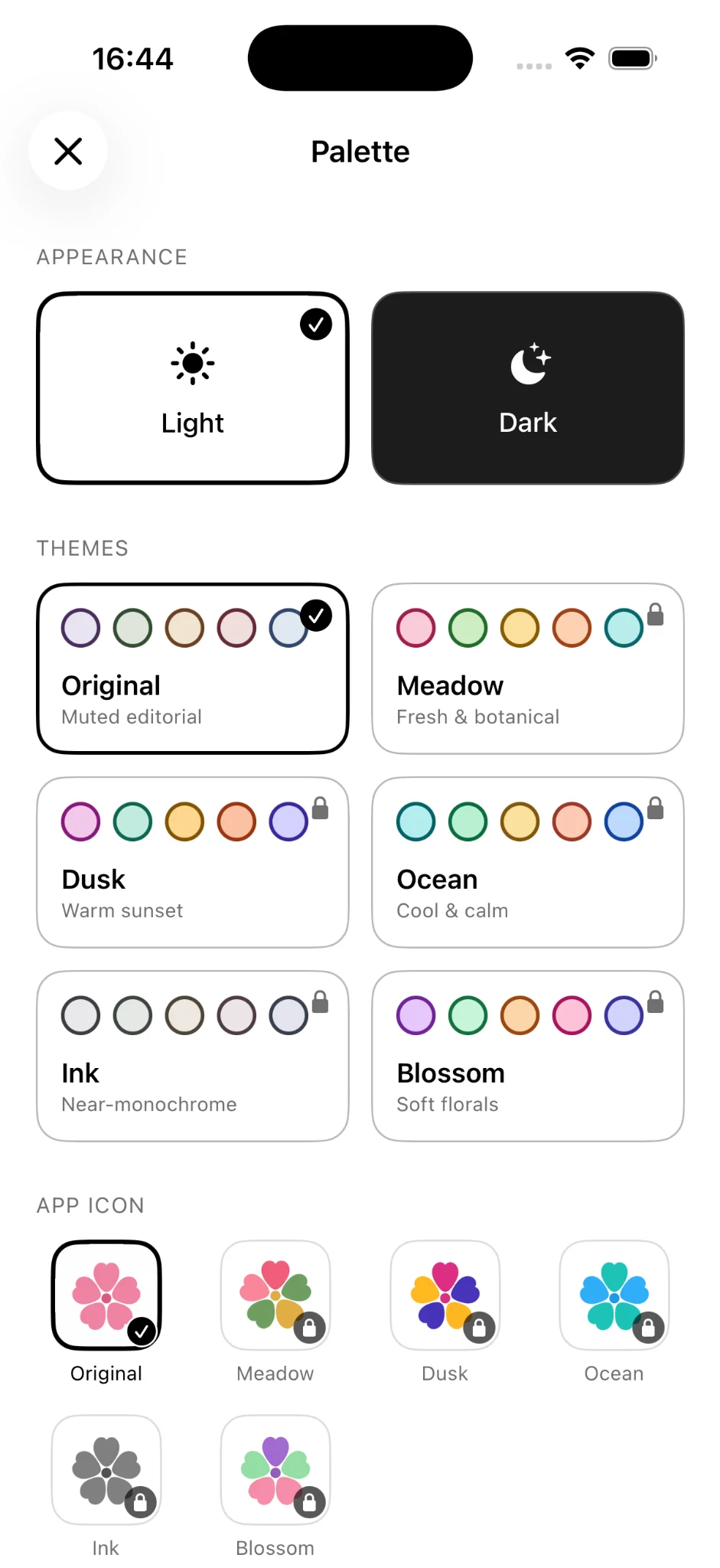
The interface should fade into the background. Light and dark mode are available for free; Premium adds five more colour themes with light and dark variants and matching alternate app icons. Personalisation is not the point of note-taking, but a comfortable space makes returning easier.
Free · English, Japanese and Korean
Make everyday writing feel familiar
Onuri is localised in English, Japanese and Korean. That choice reflects a simple principle: writing about your life should feel natural in the language you use.
Free + Premium · Free core, optional Premium
The useful basics should stay useful
Unlimited note-taking, automatic connections, search and essential privacy features are available without paying. Premium is for expanded Insights, statuses and additional visual personalisation. A free notes app should be genuinely usable before an upgrade is considered.
“The best notes app shouldn't make you better at organising notes. It should help your notes become more useful to you.”
Our north star for Onuri
Who it's for
Is Onuri the right free note-taking app for you?
If you want a simple iPhone notes app where you can write freely, search later, browse connections and keep your writing private, Onuri is designed for that approach. It also works as a lightweight personal knowledge system, a life tracker or a place to remember the people and details that matter.
If you need an elaborate project-management suite or a heavily structured team workspace, our minimalist approach may not be what you need. We would rather make the purpose clear than suggest that one app is perfect for everyone.
Want more technical detail? Read how automatic connections work, our focused free notes guide, or the privacy explanation. For the development story, see About Onuri. These pages explore individual topics in depth; this manifesto explains why we chose to build them together.
Common questions
Questions worth asking before downloading
Is Onuri actually a free notes app for iPhone?
Yes. Unlimited notes, automatic connections, search, light and dark appearance, and essential privacy features are included in the free app. Expanded Insights, statuses and extra visual themes are optional Premium features.
Is Onuri claiming to be the best notes app in 2026?
No. "Best" depends on what each person needs. We are sharing our ambition to build a genuinely useful note-taking app and explaining the choices behind it, not claiming an independent ranking or award.
Do I have to put all my notes in folders?
No. Onuri is designed for writing first and exploring the people, places, dates, times and topics it recognises. You can search text, use filters and follow connections without manually filing every entry.
Does Onuri use AI to send my notes to a server?
Onuri's automatic recognition is designed around on-device processing rather than sending your personal notes to an Onuri-operated AI service. Private sync uses your own iCloud account. Learn more in the privacy guide.
Can I export my notes?
Yes. Onuri supports TXT and CSV exports, so you can keep a portable copy of your writing.
What devices and languages does Onuri support?
Onuri is a native iPhone app with English, Japanese and Korean localisation. iCloud sync is available across supported Apple devices using your personal account. Check the App Store listing for current compatibility requirements.
What makes this different from another notes app feature list?
This page is a statement of design intent: the real-world problem first, the implemented feature second, and the reason it matters last. For a straight feature walkthrough, visit How Onuri Works.
Help shape what comes next
The best notes app is a goal, not a finish line.
We're continuing to improve Onuri, one thoughtful decision at a time. If this approach sounds like yours, start with the free app and see whether it fits how you think.
Get Onuri free on the App Store ↗