What is a note-taking app?
A note-taking app is software for capturing, storing, searching and revisiting written information. The simplest versions replace scraps of paper. More capable notes apps can become searchable records of ideas, people, places, projects, decisions and everyday life.
The important distinction is what happens after you write. Capturing a note is easy. The harder problem is returning to the right thought when you need it. That is why modern note-taking increasingly overlaps with search, personal knowledge management and the idea of a second brain.
On iPhone, a useful notes app should be fast enough for a sentence in a queue, but durable enough for years of writing. Onuri is built around that tension: natural note-taking on iPhone with automatic connections underneath.
Notes app vs second brain: what is the difference?
A notes app is primarily a place to write and retrieve notes. A second brain is a broader system for making accumulated information useful again. The two can be the same piece of software, but they do not have to be.
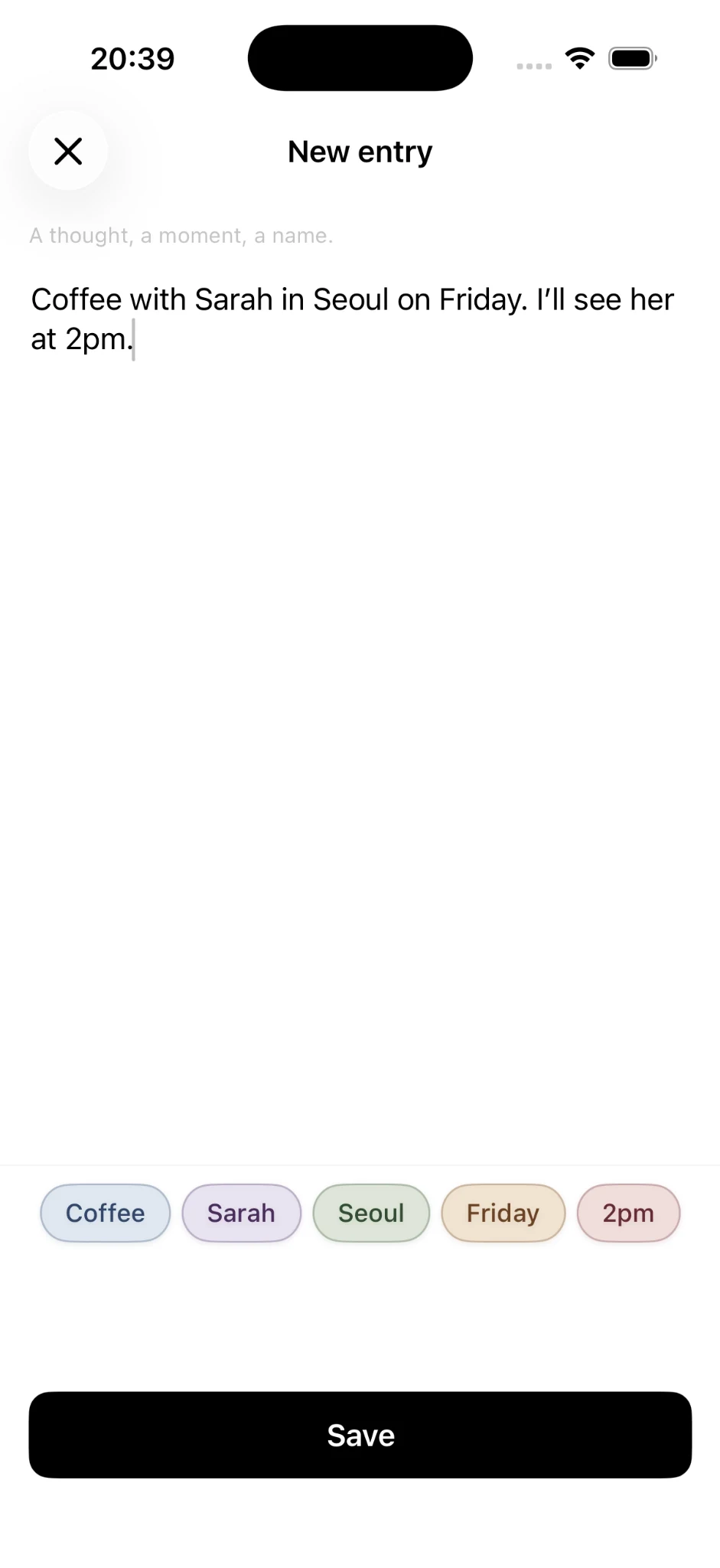
Traditional second-brain systems often ask you to build the structure yourself: folders, tags, backlinks, databases or maps. That can be powerful, but maintaining the system can become another job. Onuri takes a different approach through an automatic second brain: write normally, then let useful connections emerge from the people, places, dates, times and topics already inside your notes.
The problem is rarely taking the note. The problem is finding the note again when it matters.
What makes a good note-taking app?
There is no single best feature list for everyone. But a strong everyday notes app usually gets a few fundamentals right:
- Fast capture: writing should begin without setup.
- Reliable search: old notes should not disappear into an archive.
- Low organizational overhead: the system should not require constant maintenance.
- Privacy: personal writing deserves clear data practices.
- Portability: you should have a way to export what you wrote.
- Useful context: relationships between notes should become easier to see over time.
Features matter only if they reduce friction. A sophisticated knowledge system that makes you hesitate before writing can be less useful than a simple one you actually use.
Can a good note-taking app be free?
Yes, but “free” can mean very different things. Some apps restrict note count, devices, sync, storage or core organization. Others are supported by advertising or use the free tier mainly as a short trial.
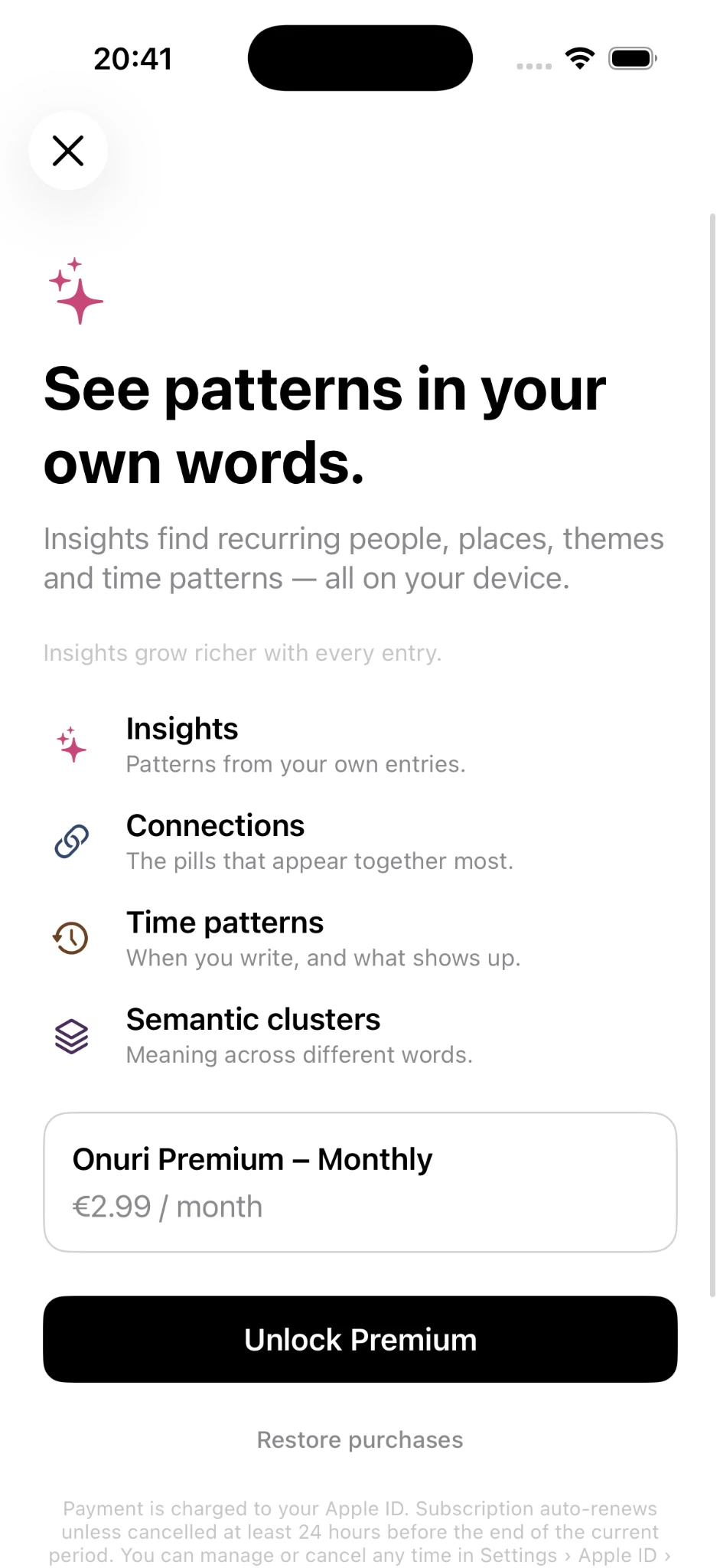
Onuri's core free experience includes unlimited notes and journal entries, automatic connections, text search, automatic draft saving, iCloud sync and TXT or CSV export. Optional Premium unlocks deeper Insights and Connections. The dedicated free notes app guide and free note-taking app guide explain the distinction in more detail.
How should you organize notes?
For decades, digital organization borrowed the filing cabinet: choose a folder, choose a subfolder, name the file, and remember the structure later. It is understandable, but human thoughts do not always arrive with a category attached.
A coffee with a friend might simultaneously relate to that person, a city, a project, a restaurant, a decision and a future plan. Forcing the note into one folder throws away much of that context. Tags help, but only if you remember to add and maintain them.
One alternative is to treat search and connections as organization. Instead of deciding the perfect location when writing, preserve the language of the note and create ways back into it later.
What are folderless notes?
Folderless note-taking means you can capture notes without first placing each one into a directory hierarchy. Retrieval depends more on search, context, dates and connections than on remembering a filing path.
This does not mean structure is useless. It means structure can be discovered after writing rather than demanded before writing. Onuri's folderless notes approach is deliberately write-first: there are no manual folder trees to maintain.
That is particularly useful for personal notes, where categories blur. Work, friendships, travel, ideas and decisions overlap. A note can belong to several parts of your life at once.
What are connected notes?
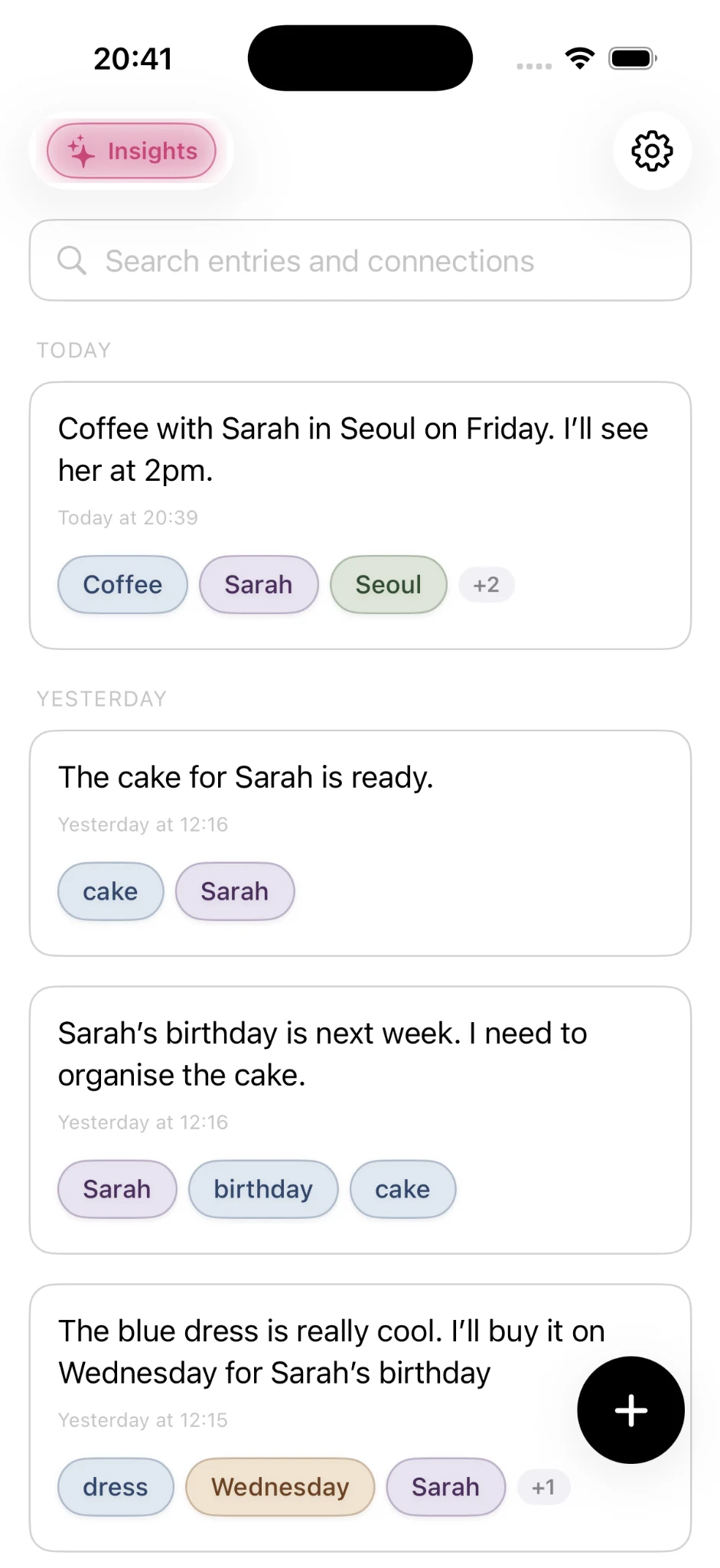
Connected notes expose relationships between pieces of writing. In some systems you create those relationships manually with backlinks or wiki links. In others, software can recognize useful context automatically.
Onuri recognises people, places, dates, times and ideas as you write. Those recognised elements become additional routes through your note history. A person's name can reconnect conversations across months; a place can bring back visits; a topic can reveal how an idea developed.
The goal is not to turn every sentence into a graph. It is to make accumulated writing easier to rediscover without asking you to maintain the graph yourself.
What is personal knowledge management?
Personal knowledge management (PKM) is the practice of capturing, organizing, connecting and retrieving information that matters to you. It can include research and work, but it can also include decisions, observations, relationships, plans and personal history.
A personal knowledge base is the stored material. Personal knowledge management is the process around it. A second brain is a popular metaphor for a system that makes that material useful.
For many people, the best PKM system may be less elaborate than they expect. If the system can capture thoughts quickly, search them reliably and reveal relevant context later, it is already doing much of the useful work.
How do you find old notes again?
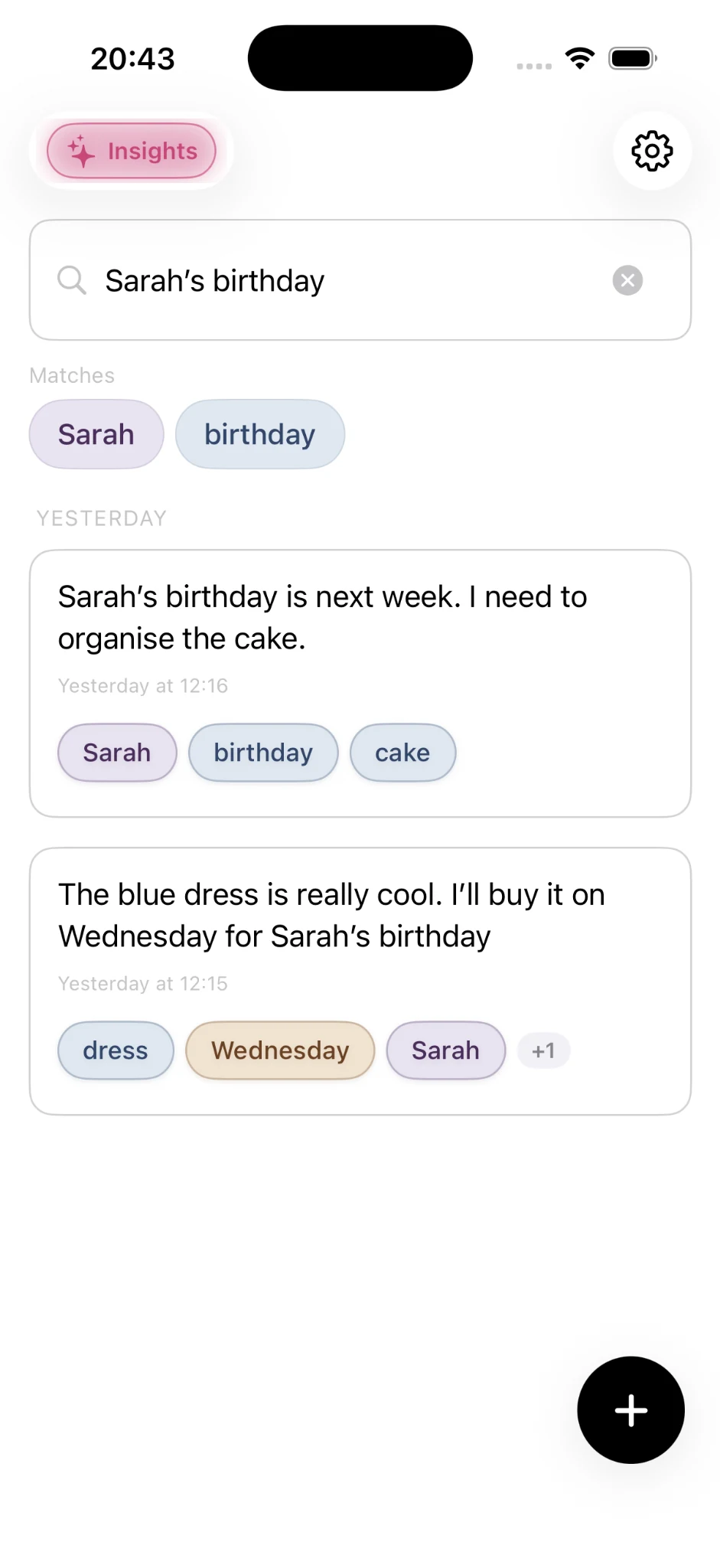
Search is the safety net of any growing notes library. Exact text search is useful when you remember a phrase. Contextual paths are useful when you remember only a person, place, date or idea.
That suggests a simple test for any note-taking system: imagine you have 5,000 notes and need something you wrote three years ago. What would you remember? The folder? The exact title? Or fragments of the event itself?
Onuri combines full-text search with recognised connections so you have more than one route back. This is one reason the app is positioned as both a notes app and a second brain rather than just a text editor.
What makes a notes app private?
“Private notes app” should describe architecture and data practices, not just a lock icon. Useful questions include: Does the app show ads? Does it use third-party analytics? Does it track activity across apps? Where does sync happen? Can you export your writing?
Onuri uses no ads, no tracking and no third-party analytics. Its App Store privacy information states that data is not collected. Notes can sync through the user's personal iCloud account. For a detailed feature and architecture breakdown, see Onuri capabilities.
What is an iCloud notes app?
An iCloud notes app uses Apple's iCloud infrastructure to keep information available across supported Apple devices. For Onuri, notes sync through the user's personal iCloud account rather than requiring a separate Onuri content account.
iCloud does not automatically make every notes app identical. Apps still make different choices about analytics, advertising, exports and how much data they collect. The full privacy model matters more than a single feature label.
Can a notes app become a life tracker?
Yes. If you regularly write about people, places, plans, decisions, ideas and everyday events, your notes naturally become a record of your life. The difference from a rigid tracker is that you do not have to decide every field in advance.
Onuri's life tracker approach uses ordinary writing as the raw material. Its life-tracking ideas reference shows the kinds of details people may want to remember without turning life into a spreadsheet.
This is also where connected notes become more valuable with time: the same person, location or topic can recur across years of writing.
What is the best note-taking app?
The best note-taking app is the one whose trade-offs match the way you think. Someone building team documentation needs different tools from someone keeping private personal notes. Someone who enjoys constructing databases may prefer a system with deep manual structure. Someone who wants to write first may prefer less maintenance.
If you are still deciding how to take notes, not just which app to use, see every note-taking method explained, from Cornell and Zettelkasten to PARA.
For personal iPhone note-taking, useful criteria are speed, search, privacy, sync, export, organizational overhead and whether the app becomes more useful as notes accumulate.
Onuri is designed specifically for people who want private, low-maintenance note-taking that becomes connected automatically. It is not trying to be a collaborative workspace or a complex project database. See the notes app alternative guide for a fuller explanation of that philosophy.
How do you build a second brain without maintaining one?
Start by removing the part that usually kills the habit: designing the perfect system before you have anything worth organizing.
- Write the note. Capture the thought in ordinary language.
- Keep the context. Names, places, dates and topics are useful clues later.
- Trust search. Do not create structure merely because you feel you should.
- Let patterns accumulate. Connections become more meaningful as your writing grows.
- Keep an exit. Export matters because a personal knowledge system should remain yours.
That is the idea behind Onuri: write naturally, find everything again. Instead of spending time maintaining a second brain, you spend the time writing — and let the software do more of the connecting.
Onuri: Notes & Life Tracker
Write first. Let your second brain emerge.
Unlimited notes, automatic connections, private iCloud sync, fast search and TXT/CSV export are available in Onuri's free core experience on iPhone.
Download Onuri Free On your computer?Scan with your iPhone