How Onuri works
Write normally. Onuri connects the rest.
Onuri is a private notes app for iPhone that turns ordinary writing into connected context. Write a note in your own words, let Onuri recognise useful people, places, dates, times and topics, then find related notes through search and connections — without folders or manual tags.
See the 60-second walkthrough ↓
Unlimited notes on the free tier · iCloud sync · No ads, analytics SDKs or tracking in the app.
1. WriteCapture a normal note
2. RecogniseContext appears automatically
3. ConnectRelated notes come together
4. RediscoverSearch and explore later
01Start with a normal note
Just write what happened.
There is no folder to choose and no tagging system to maintain before you can start.
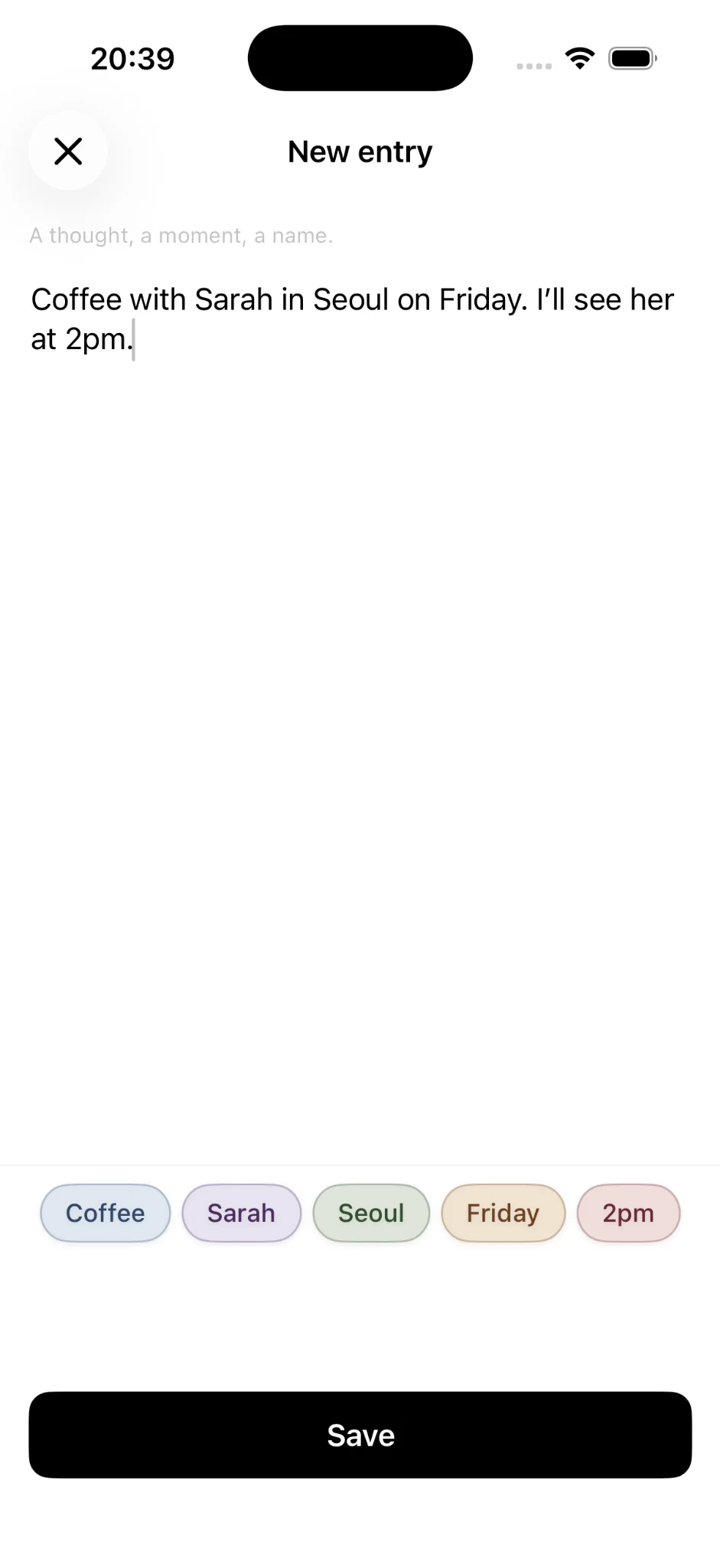
Type a thought the way you would say it: “Coffee with Sarah in Seoul on Friday. I’ll see her at 2pm.” As you write, Onuri recognises useful pieces of context and shows them as coloured pills.
CoffeeSarahSeoulFriday
02Automatic context
Your notes organise themselves around what you wrote.
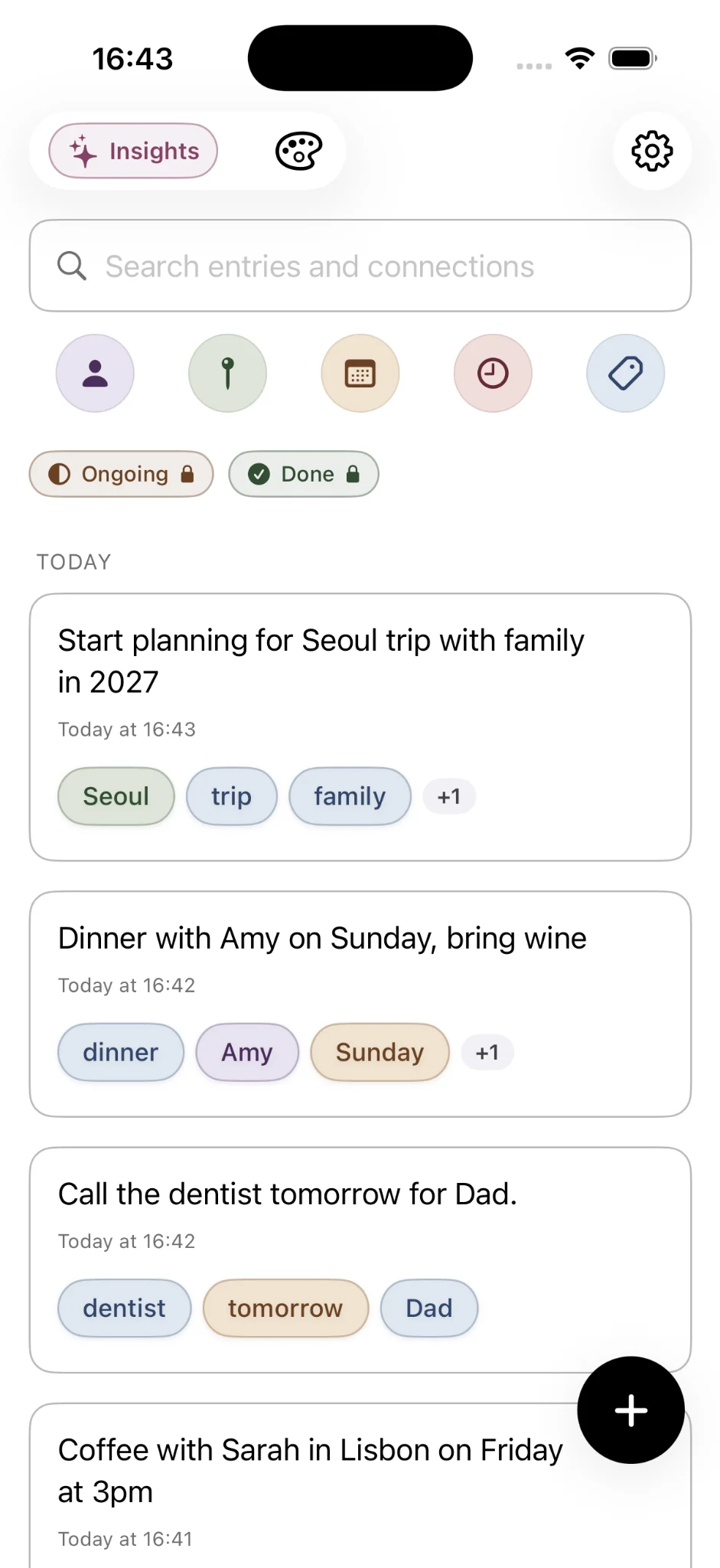
When you save, the note joins your personal feed with its recognised context attached.
If Sarah, a birthday, a place or an idea appears again later, Onuri can use that shared context to help surface the related entries. You keep writing naturally instead of deciding where every thought belongs.
03Follow a connection
Tap one thing and see what tends to appear with it.
A person, place, date or topic can become a path through your notes.
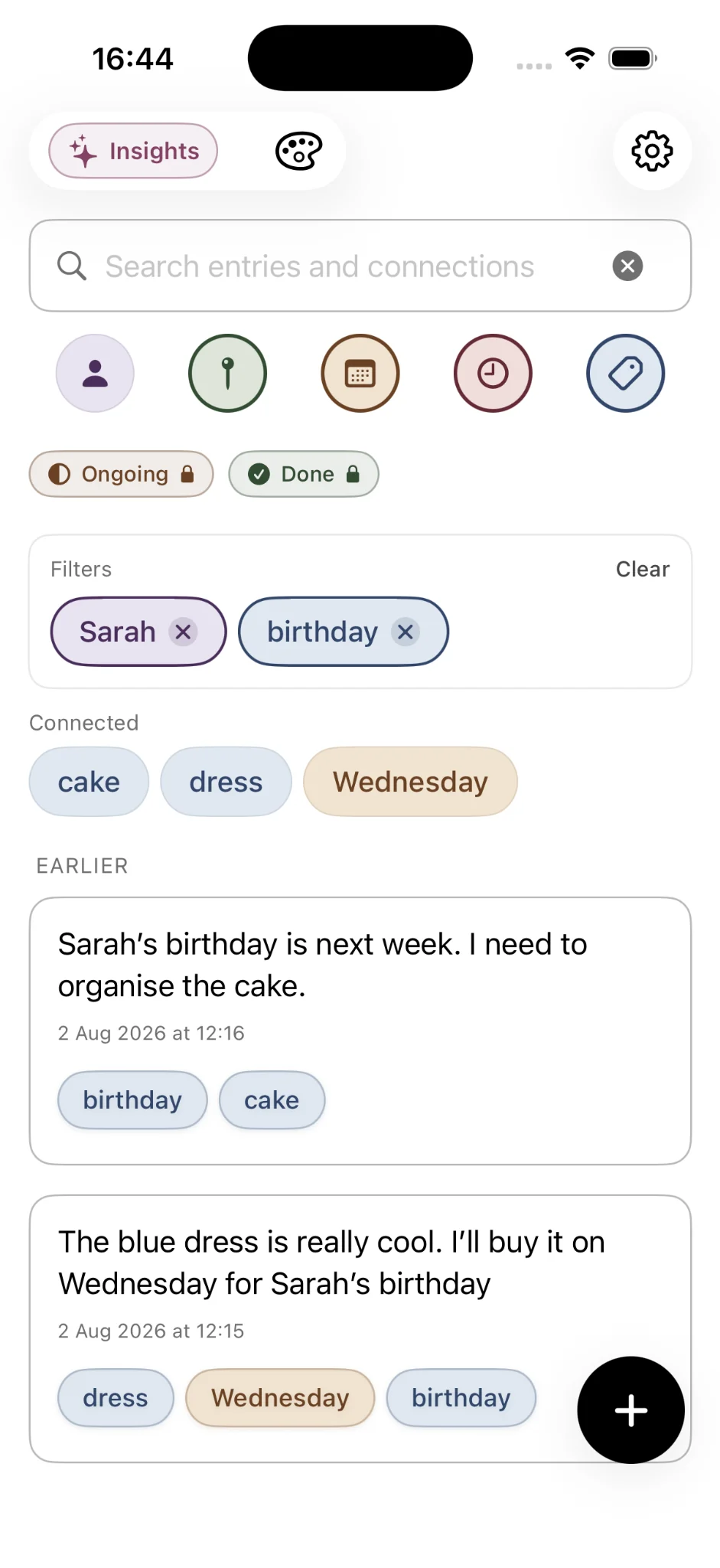
Filter by Sarah, for example, and Onuri surfaces connected context such as cake, birthday, Coffee, Seoul, Friday and Wednesday. Instead of navigating a folder tree, you move through the relationships already present in your writing.
Sarah→birthdaycakeSeoul
04Search what you remember
You do not need to remember where you filed it.
Search the words or idea you remember and let the connected notes narrow the result.
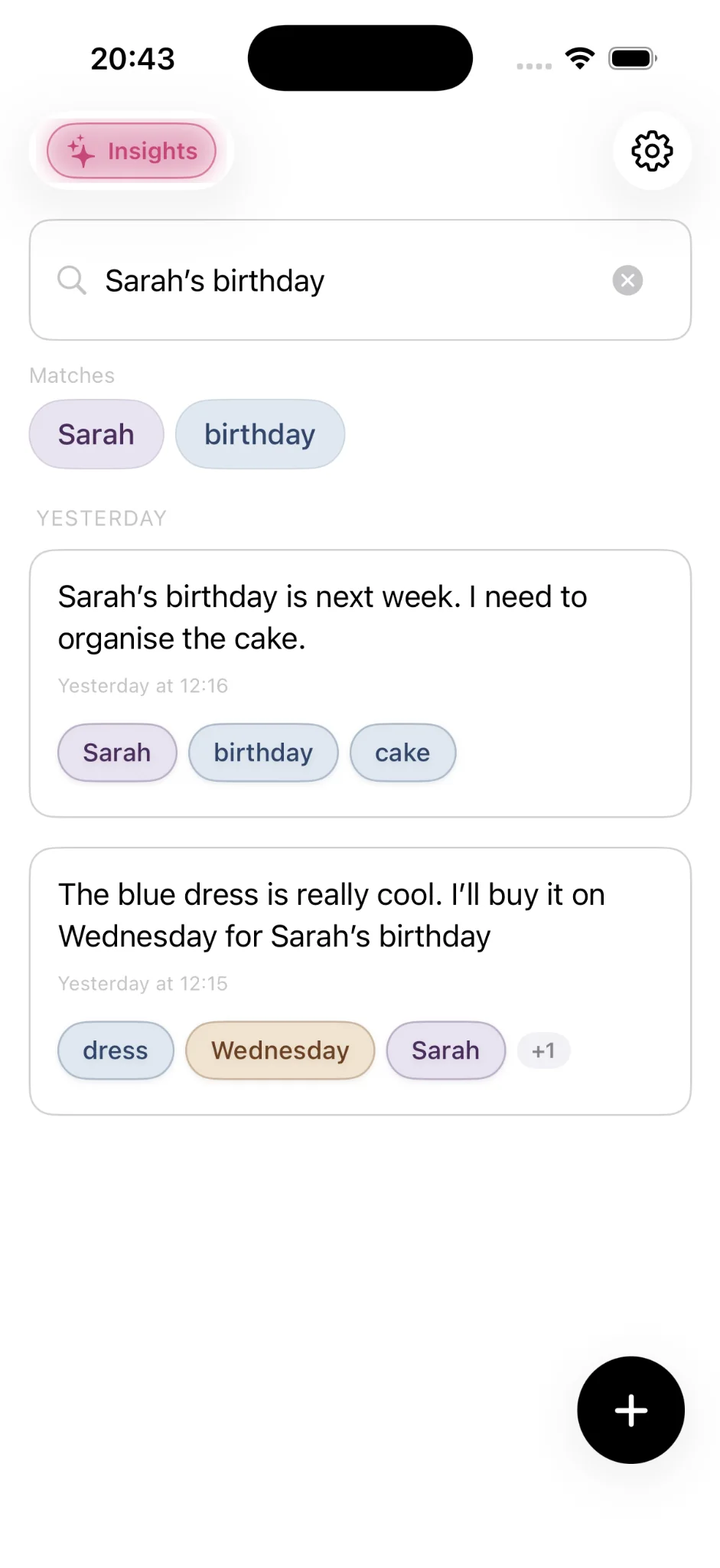
A search for “Sarah’s birthday” brings back the notes where those ideas overlap, even when the exact wording around them is different. Search works with the text you wrote and the context Onuri recognised from it.
05Premium Insights
See patterns that only become visible over time.
As your archive grows, Premium can look across your own entries for recurring patterns.
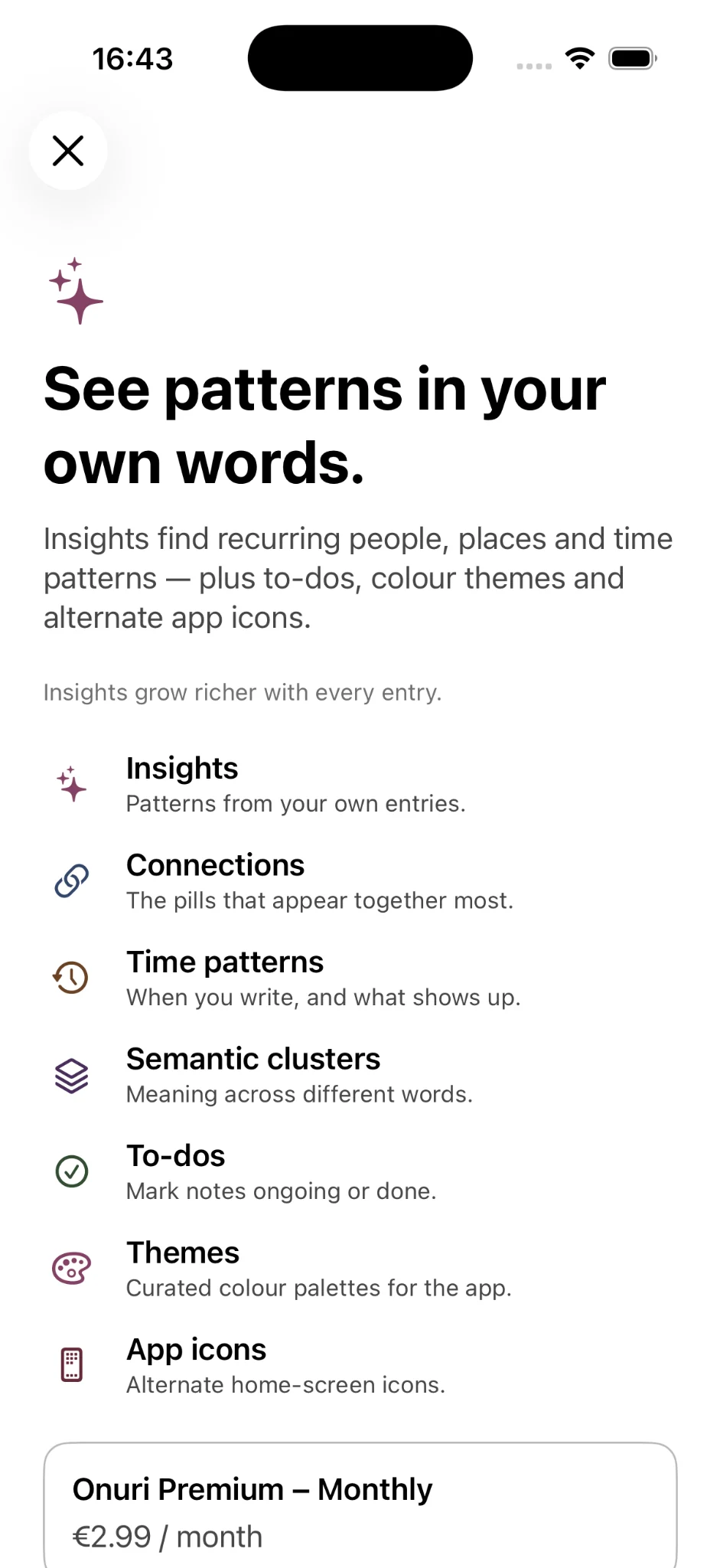
Insights can surface recurring people, places, themes, connections, time patterns and semantic clusters. Premium also adds Ongoing and Done statuses, five additional themes and matching app icons. The goal is not to make you organise more — it is to help you notice what keeps showing up in the writing you already created.
The difference
The app does the organising after you write — not before.
Onuri is designed around one simple loop: capture first, recognise context automatically, then rediscover your past notes through the relationships between them.
No folder setupYou can start writing immediately.
No manual wiki linksConnections come from the words already in your notes.
No separate life-tracking databaseYour ordinary notes can become the record over time.
Private by design
Your notes stay personal.
The Onuri app uses no ads, tracking or third-party analytics SDKs. Recognition and Insights are designed to run on-device, while notes can sync through your personal iCloud account across supported Apple devices.
Your writing stays portable
Keep a copy when you want one.
Onuri supports TXT and CSV export, so your notes are not meant to be trapped inside the app. The free tier includes unlimited notes and the core automatic connection experience.
A simple place to write. A connected record when you come back.
That is the whole idea behind Onuri: write naturally today, then make yesterday’s notes easier to rediscover tomorrow.